Product four · free beta
The Take. The take you meant to sing.
Give it a vocal, or sing one straight into it over your backing track. The Take finds every note that was sung a little flat, a little sharp, or that drifted while it was held, and moves it to pitch while keeping the voice exactly as it is: the tone, the vibrato, the breath, the slide into the note. Then it shows you every note it touched, with the word from the lyric, so you can hear each one and put any of them back. Nothing is uploaded.
Free while in beta · no account · runs on your own phone or laptop · never adds a note you did not sing
Every note you sang, and what happened to it.
Teal notes were moved. Grey notes were left alone. Amber notes need you. Hold one button to hear the original at the same point, let go to hear the tuned take. On a Mac the whole session sits in one window; on a phone it is four screens.


Sing it into The Take.
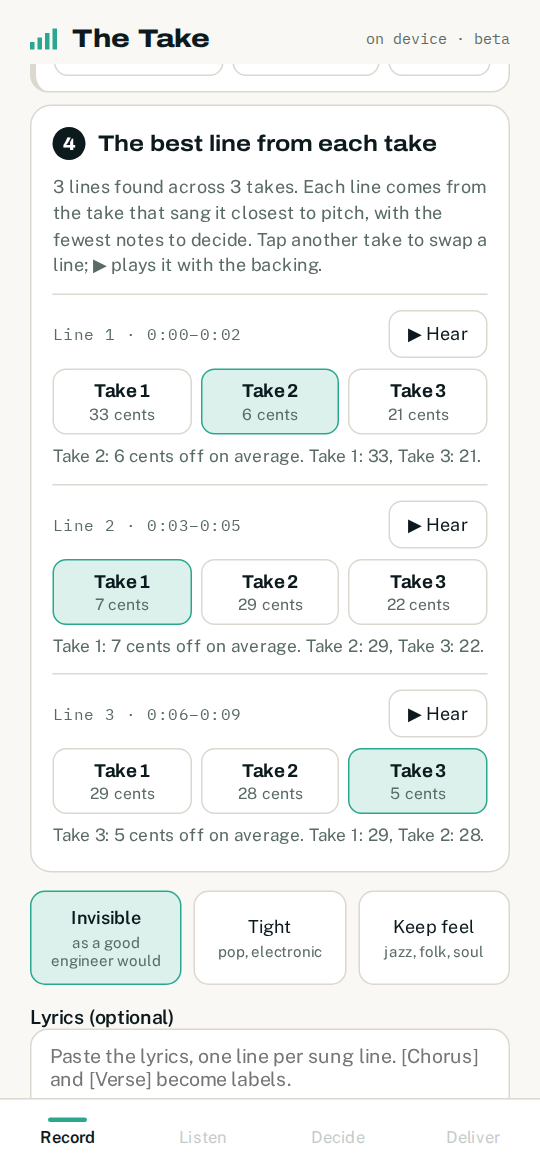
Choose your backing track, put wired headphones on, and sing. The screen draws your pitch as you go: teal when a held note sits on pitch, amber when it sits between two notes. Press stop and the take has already been read. Sing the part as many times as you like, and The Take puts the best line from each take together.

No backing track yet? Sing to a click at your tempo, or with nothing at all.
What a good engineer does with a pitch editor, in a minute, on your own device.
The Take is a repair tool. It corrects a performance; it does not create one. It never produces a note that was not sung, and it says so on every delivery.
Every note, and how far off it was
It tracks the pitch of the voice a hundred times a second, groups it into notes, and works out the key by itself. Each note gets a reading in cents: how far from the note it should have been, and whether it drifted while held.
Fix, keep, or ask
The rules an engineer applies, written down. A slide into the note is kept. Vibrato is kept. A repeated blue note is kept. A note sung 30 cents flat is fixed. A note that landed between two notes, or needs a move too big to hide, is flagged and left to you.
To pitch, with the voice intact
The note is moved with its own shape: the wobble, the way it came in, the way it fell away. The tone of the voice is preserved. Small corrections are inaudible; large ones are flagged rather than forced.
Every change, in words
“Sung 41 cents flat. Moved to pitch, shape kept.” A pitch curve, original and tuned. Buttons to hear the original, the tuned note, or both back to back, with a little context either side.
The lyric on every note
Paste the lyrics and each card names the word, the line and the section. When a line repeats, The Take tells you where that word landed the other times you sang it, which is usually the answer to “which note did I mean”.
The topline, on Mac
Drop the melody as MIDI and the notes are corrected to it rather than to the key. A note off the melody is flagged with the topline note as the first choice.
Room noise between phrases
It learns the room from the quiet before the first note and lowers it between phrases, so a bedroom recording sits better in the mix.
Before it hands the file back
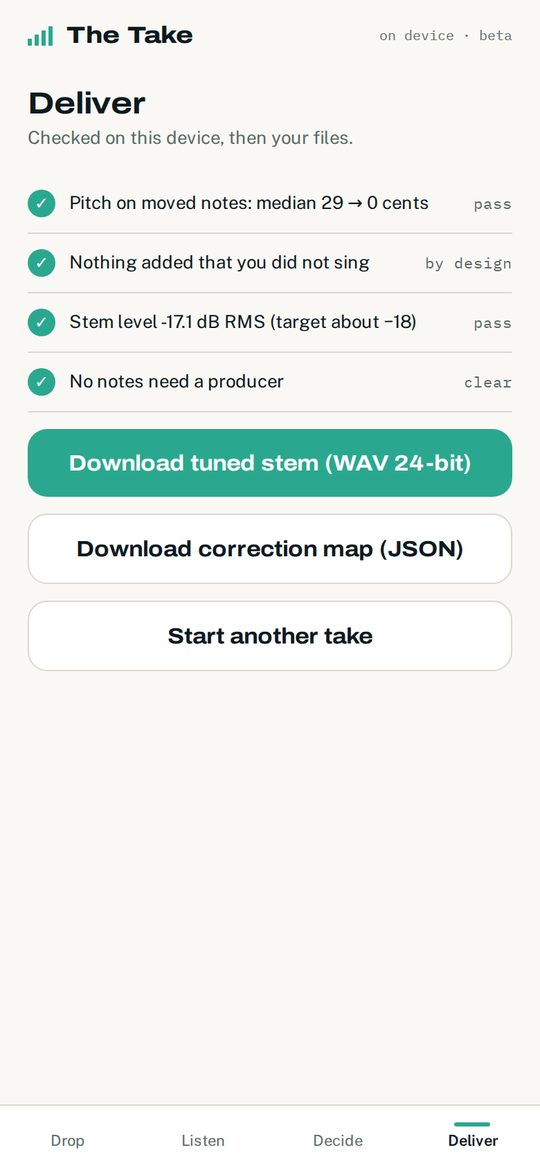
It re-measures the tuned file: the moved notes are now within a few cents, nothing was added that was not sung, the stem is at the level a mixer expects. Then a 24-bit WAV and the correction map.
To a producer, with the brief written
Any note you would rather a person finished is marked in the correction map with your note attached: where it is, what was sung, what you want. The producer opens it next to the original and starts.
It does not guess. It asks.
Borrowed from The Diary: the things that need a decision are laid out in one line, one card at a time, and each card says what was found and what your choices are. Most vocals have a handful. Answering them takes about a minute.

Keep original · Fix it · Producer
G4 · G#4 · Keep · Producer
Three profiles, chosen once: Invisible, as a good engineer would; Tight, for pop and electronic; Keep feel, for jazz, folk and soul. There is no amount knob. Every note is moved to pitch or left alone, and the choice is yours per note.
One link. Then it lives on your phone or your Mac.
Like The Meter, it installs from the browser with no app store and no account. Open the link once, add it to your home screen or install it on the desktop, and from then on it opens from its own icon and works without a connection.
Add to Home Screen
Open the link in Safari. Tap the Share button, then Add to Home Screen. Four screens: Record (or drop a file), Listen, Decide, Deliver.
Install app
Open the link in Chrome. Tap Install in the bar at the bottom, or use the menu and choose Install app.
Install from the address bar
Open the link in Chrome or Edge on a wide screen and it opens the desktop layout: recording to a backing track, a queue for several vocals, a large note lane, keyboard shortcuts, lyrics and topline MIDI. Click the install icon at the right of the address bar for its own window and a place in the Dock.
- Record in the app, or bring vocal stems: the lead, the double, the harmonies, each as its own file, recorded dry
- Recording needs wired headphones. Bluetooth adds too much delay to sing in time, and a speaker puts the backing track into the vocal
- It corrects pitch and lowers room noise between phrases. It does not correct timing, remove breaths, or separate a vocal from a finished mix
- Nothing is uploaded, nothing is stored, nothing is used to train anything. Close it and the audio is gone
- Auto-Tune is a trademark of Antares Audio Technologies and is not associated with this product
The lane, the readings, the checks.
Zoom the time axis, click a note to go to it, hold O to hear the original. Underneath: cents off pitch before and after, notes moved, notes left alone, notes to decide. Then the delivery checks and the two downloads.

The Meter tells you the vocal is out. The Take fixes it.
Diagnose with The Meter, repair with The Take, run the business around it with The Desk and The Diary.